CookYour
Books
A JavaFX desktop recipe manager for organizing local cookbooks, editing recipes, importing recipe images through Gemini OCR, generating shopping lists, and following step-by-step cooking timers.
Type
Desktop Recipe Manager
Stack
Java 21 + JavaFX 21
Data
Local JSON
Period
2026.1 - 2026.4
01 - Overview
CookYourBooks is a JavaFX desktop application for managing a local recipe library. Users can organize recipes into collections, search by title or ingredient, import recipes from images, edit recipe data, combine ingredients into a grocery list, and cook through instructions one step at a time.
The work evolved across two phases. The earlier individual-assignment phase covered much of the core non-GUI code: domain modeling, adapters, service layer, CLI, persistence, parsing, conversion, and business logic. The later group phase focused on the JavaFX GUI and cross-feature integration.
My individual work included core non-GUI systems in the earlier phase. In the group GUI phase, my main feature work was Recipe Editor and Shopping List, including editable state, async save behavior, and grocery-list aggregation.
Personal Contribution
02 - Implemented Scope
The project includes both a JavaFX GUI and a JLine CLI. Both entry points reuse the same model, service, repository, conversion, and persistence layers rather than duplicating recipe logic.
Collection Management
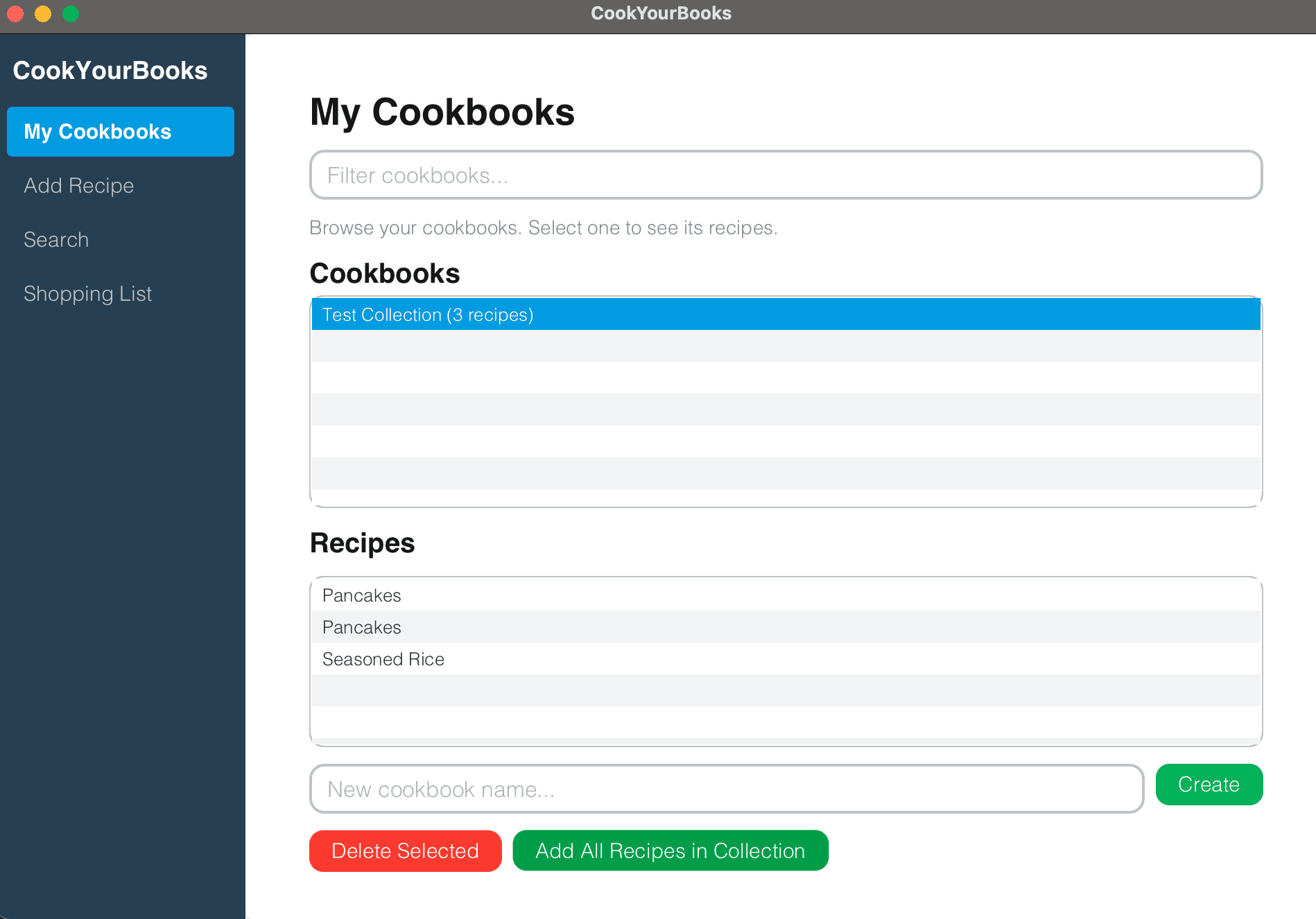
Supports personal collections, published cookbook collections, and web-style collections for organizing recipe libraries.
Recipe Data Model
Models titles, servings, ingredients, instructions, optional conversion rules, and multiple quantity styles.
Recipe Editor
Loads selected recipes into editable state, tracks unsaved changes, validates input, and saves edits asynchronously.
JavaFX GUI
Includes Library, Recipe Editor, Import, Search, Shopping List, and Cooking Timer screens backed by ViewModels.
Gemini OCR Import
Reads recipe images through a Gemini adapter, converts returned JSON into internal Recipe models, then lets users review before saving.
Search & Filtering
Supports recipe title search, short ID prefix lookup, ingredient filters, and debounced search state in the GUI.
Shopping List
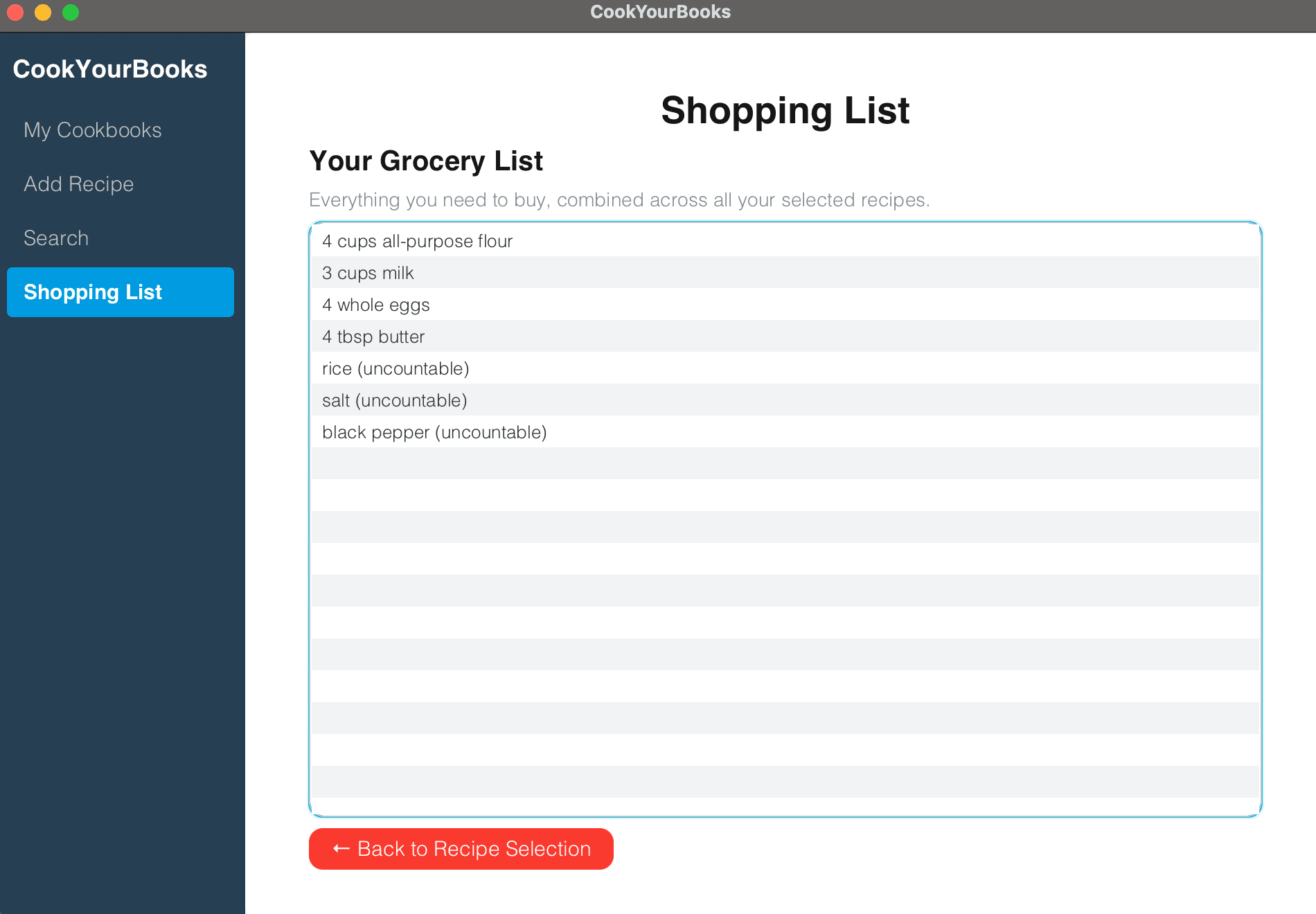
Aggregates ingredients from selected recipes, merges measured ingredients with the same name and unit, and lists vague items separately.
Cooking Timer
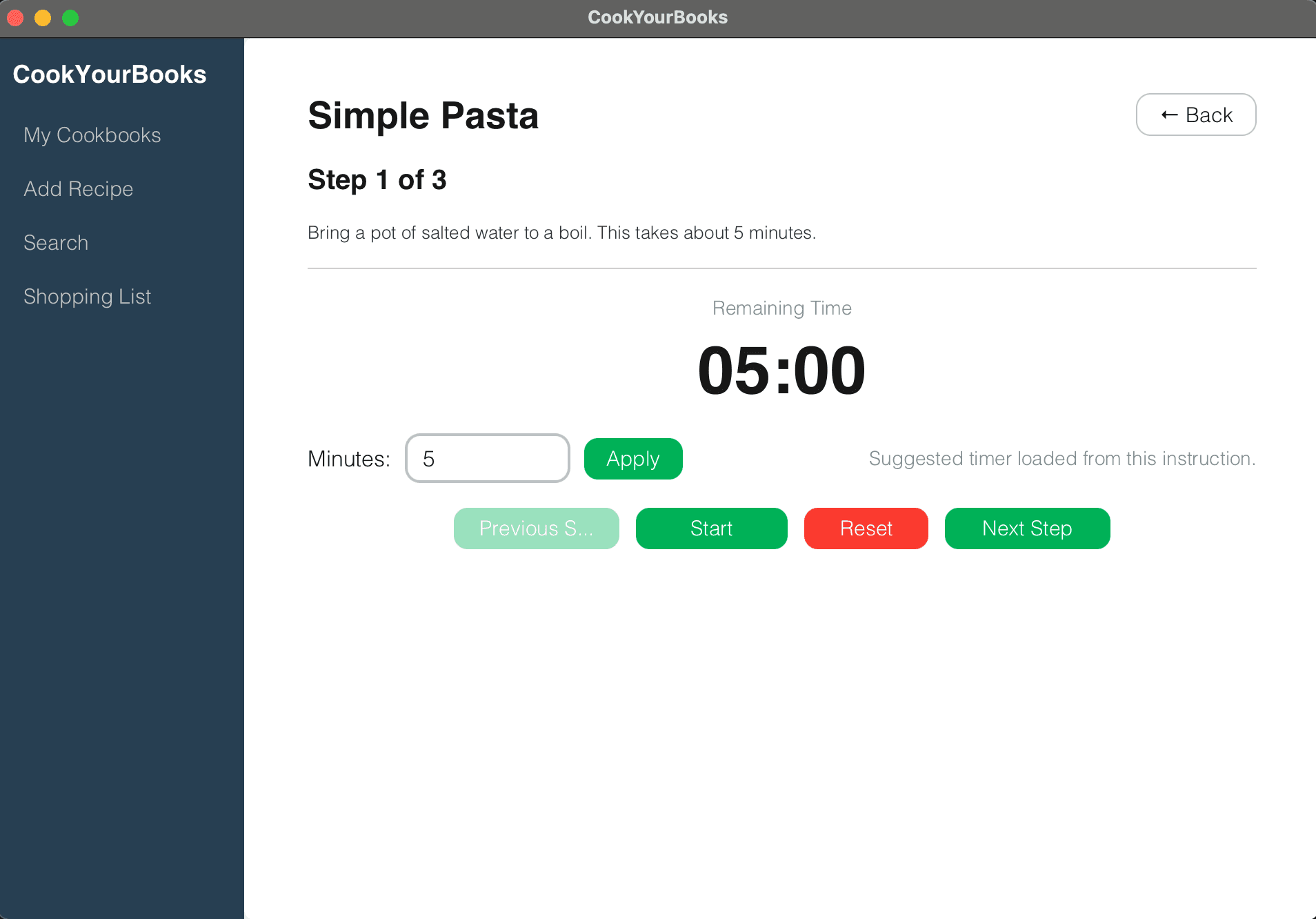
Parses time expressions from instructions, displays one step at a time, and supports manual timer overrides.
CLI Workflows
JLine commands support search, JSON import, servings scaling, unit conversion, shopping-list generation, cooking mode, and Markdown export.
Markdown Export
CLI workflows can export recipe content into Markdown for readable sharing outside the desktop interface.
Unit Conversion
Handles standard volume and weight conversions plus house-level and recipe-specific conversion rules.
Local Persistence
Jackson serializes the recipe library to cyb-library.json; there is no account system, cloud sync, or web deployment.
03 - Product Screens
The interface is a desktop application, not a mobile or web app. These screens show the implemented JavaFX shopping-list and cooking-timer workflows.
04 - Architecture
Model
Recipes, collections, ingredients, quantities, units, shopping items, and conversion rules are represented through immutable objects, records, enums, and Jackson polymorphic annotations.
Services
Application logic covers collection management, recipe transformation, shopping-list aggregation, text parsing, OCR service boundaries, and cooking sessions.
Repository
Recipe and collection repository interfaces keep persistence concerns separate from the GUI, CLI, and service layers.
Adapters
Adapters handle JSON storage, Markdown export, Gemini OCR integration, and the concrete Gemini HTTP client.
GUI
ViewModels expose JavaFX properties and ObservableList state, while FXML controllers focus on binding UI controls and navigation actions.
CLI
A JLine command loop uses a command registry, individual command classes, formatters, and completion logic for terminal workflows.
Conversion
ConversionRegistry and rule priority logic manage standard conversions, house conversions, and recipe-specific conversion rules.
Shared Core
The JavaFX GUI and CLI reuse the same model, service, repository, persistence, and conversion layers instead of duplicating recipe logic.
Background Work
javafx.concurrent.Task and BackgroundTaskRunner move saving, search, OCR import, and shopping-list generation off the JavaFX Application Thread.
Docs
Javadocs and package-info files document interface contracts, package responsibilities, parameters, return values, exceptions, and design background.
05 - Design Decisions
Decision 1
Back navigation moved from one previous view to a history stack
A single previousView worked for one-level navigation, but Cooking Timer can open from Recipe Editor, creating a Library -> Recipe Editor -> Cooking Timer chain. The final NavigationService uses a Deque history stack so navigateBack() can unwind deeper GUI flows without each page hardcoding its caller.
Decision 2
OCR import runs as a background task with a review state
OCR is slow and imperfect, so synchronous import would freeze the JavaFX UI and direct-save would risk bad data. ImportViewModel uses idle, processing, review, and error states; BackgroundTaskRunner performs OCR off the UI thread, then returns to review so users can correct title and ingredients before saving.
06 - Team Integration
CookYourBooks was a team project with feature ownership split across Library, Recipe Editor, Import, Search, Shopping List, and Cooking Timer work. The portfolio notes emphasize not overstating individual ownership; the project is best presented as a shared desktop application with individual feature contributions and cross-feature integration.
Feature Branches & PRs
Team work was organized through feature branches and pull-request merges for features such as Shopping List, Cooking Timer, and bug fixes.
Lightweight Design Records
Feature rationale, implementation journals, summaries, screenshots, accessibility notes, limitations, and design-evolution files documented key choices.
Cross-Feature Workflows
Shopping List and Cooking Timer connect through Library, Search, and Recipe Editor flows instead of living as isolated pages.
Shared Standards
The team worked within course-provided Gradle, formatting, static-analysis, packaging, and coverage standards rather than claiming that infrastructure as individual work.
07 - Testing & Quality
The repository includes tests for CLI commands, completion, formatters, persistence, GUI ViewModels, cross-feature flows, and the Gemini adapter. Mockito isolates OCR tests from real network calls, while TestFX and Monocle support headless JavaFX testing.
Tests
27 Java test files, 214 JUnit methods
Quality
Spotless, Checkstyle, Error Prone, NullAway
Docs
Javadoc, package-info, feature journals
Real Boundaries
-Desktop JavaFX app, not a deployed web or mobile app.
-Data is stored in local JSON; no cloud sync or account system.
-OCR requires a valid GOOGLE_API_KEY and sends images to Gemini API.
-GUI shopping lists and cooking timers are not persisted across app restarts.
-Share to Website was a design concept, not an implemented feature.
-The JavaFX app requires a JVM and may render differently across operating systems.